

 Chloe Parker
Who this guide is for: product managers, marketers, and developers encountering AI agents for the first time — and anyone evaluating AI agent platforms or wondering “what can an AI agent actually do for me?”
You’ve probably had this experience: you ask an AI to write a weekly report, and it does a great job. But when you say, “Turn this week’s meeting notes into a report and send it to my department’s group chat,” it replies, “Sorry, I can’t send messages.”
That’s the dividing line between an ordinary AI assistant and an AI Agent — the difference between talking and doing.
This article answers three questions:
(Note: In Traditional Chinese regions such as Hong Kong and Taiwan, the term is written “智能體” — it’s the same concept. This guide uses “AI agent” throughout.)
Here’s a one-sentence definition you can quote directly:
An AI Agent is an AI system that can perceive its environment, plan autonomously, call tools, and take actions to accomplish a goal. It’s not an AI that answers questions — it’s an AI that gets things done.
An ordinary chatbot has exactly one step: you type, it replies. An AI agent runs a closed loop of three capabilities:
| Dimension | Ordinary AI Assistant (Chatbot) | AI Agent |
| Interaction | One question, one answer; you drive every step | Give it a goal; it drives multiple steps itself |
| Capability | Can only generate text/images | Can call tools: browser, code, APIs, file system |
| State | Forgets everything when the chat ends | Has memory; works continuously across tasks and time |
| Output | A reply | A result: a report, a sent email, working code |
A simple litmus test: if the task requires “hands” rather than a “mouth,” you need an AI agent.
One-liner: AI Agent = LLM (the brain) + Memory (experience) + Tools (hands and feet), running a “plan → act → observe → re-plan” loop until the goal becomes a deliverable.
Broken into four steps:
That loop is the entire secret separating an AI agent from a single-turn Q&A.
By use case, the most mature categories of AI agents today fall into a few major groups.
This is the most commercialized — and hottest — category. If you’ve ever searched “best AI for coding” or “AI programming tools,” the results were almost all coding agents.
They come in three tiers, from lightest to heaviest:
When choosing one, what really separates the field isn’t “can it write code” but three things: Can it understand your entire codebase context? Does it fix its own failures? And does it offer free quotas or local deployment?
If coding agents serve developers, data analysis agents are the “colleague who knows SQL and charts” for business users.
Typical usage: throw an Excel file or database table at it, send an instruction in plain language, and it decides which fields to query, which definitions to use, and which charts to draw.
For readers with operations or product backgrounds, this may be the highest-ROI type of AI agent:
The advanced play is connecting “data retrieval” to “distribution”: every morning, automatically pull yesterday’s core metrics, generate a morning brief, and post it to the group chat — which ties into the automation capabilities in section 2.3.
Now that you know the types, suppose you want to build one yourself — say, an agent that “automatically sorts and categorizes customer complaints” for your team. The next step is choosing an AI agent development platform.
The conclusion first: in 2026, you can build a usable AI agent without writing a single line of code. Mainstream AI agent platforms have turned “orchestration” into drag-and-drop configuration. The real dividing lines are in the table below.
| Platform | Positioning | Highlights |
| Microsoft Copilot Studio | Enterprise-grade agent building | Deepest integration with the Microsoft 365 ecosystem; ideal for companies already on Teams/Office |
| Salesforce Agentforce | CRM-scenario agents | Out-of-the-box for sales/service scenarios; data lives natively in the CRM |
| Zapier Agents | Automation + agents | Backed by 6,000+ app connectors — the ceiling for “agents that actually do things” |
| Lindy | Lightweight personal/team assistant | Quick to pick up for email, calendar, and CRM-type tasks |
| n8n (open source) | Workflow automation powerhouse | Self-hostable, enormous node ecosystem, great value for technical teams |
One practical tip: get your workflow running on a free tier first, then talk about paying. A workflow that doesn’t run can’t be saved by money; one that does will tell you exactly which capability is worth paying for.
If you can’t even be bothered to build anything and just want one tool to invoke every kind of agent and model — that’s exactly why AI aggregator platforms exist.
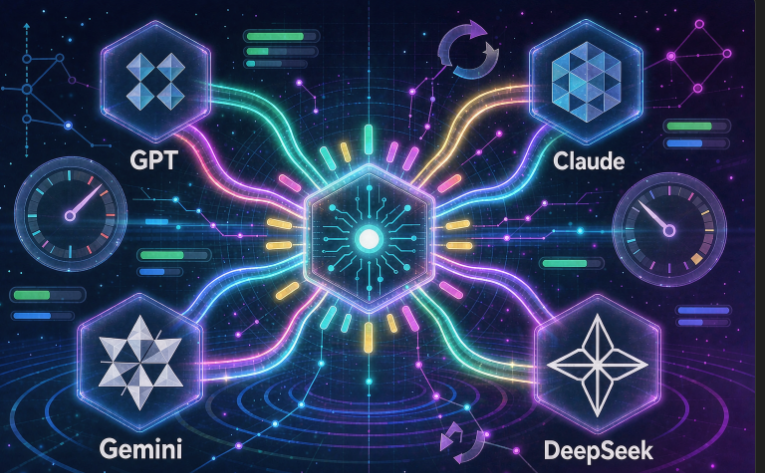
An AI aggregator platform provides a unified entry point and API interface, connecting to multiple mainstream LLMs such as OpenAI, Claude, Gemini, and DeepSeek. It’s an integrated service platform for AI capabilities of every kind.
The logic is a lot like shared power banks — and it currently comes in three forms:
| Platform | Model Coverage | Differentiators | Best For |
| UIUIAPI | 300+ LLMs (OpenAI/Claude/Gemini/DeepSeek, etc.) | Discount rates labeled upfront — you can calculate real costs before topping up, a rare level of price transparency among relay platforms; supports OpenAI/Anthropic/Gemini protocols, multi-node load balancing + automatic circuit breaking | Individual developers and small teams who want predictable costs |
| DMXAPI | 300+ multimodal models (text/image/video/audio) | No RPM/TPM caps, unlimited concurrency for enterprise clients; one unified API style across modalities; 7×24 one-on-one support | High-concurrency scenarios |
| OpenRouter | 500+ models, 80+ providers, open + closed source | Fastest model onboarding in the industry; automatic routing/failover — if the primary model goes down, it switches to a backup; 25+ permanently free models; SOC 2 compliant with zero-data-retention (ZDR) routing | Independent developers and product teams that need multi-model flexibility and failover |
| SiliconFlow | Mainstream open-source models (DeepSeek/Qwen/GLM/Kimi, etc.) + image/speech/video models | Essentially a “compute company” rather than a pure relay: self-developed inference acceleration engine, officially claiming 10x+ faster LLM inference; supports dedicated enterprise compute (reserved instances) and hybrid cloud deployment | China-based teams focused on open-source models with inference-speed and privatization requirements |
Who are they for? Heavy AI users and small-to-mid teams whose volume can’t yet justify direct contracts with model vendors, but who don’t want to register accounts everywhere. When choosing, focus on three things: whether supported models are updated promptly, API compatibility, and billing transparency.
While we’re on the topic, there’s an easily overlooked piece worth calling out: data.
Whether it’s an aggregator website indexing agents from across the web, an enterprise feeding domain knowledge bases to its agents, or collecting public corpora for model training and fine-tuning — it all comes down to the same thing: large-scale web data collection. And collection tasks often hit bottlenecks: interrupted jobs, missing data, dead IPs — all common pitfalls for AI agent developers.
The standard solution in these scenarios is residential ips — sending requests through residential network IPs to ensure collection stability and data quality.
If your AI agent project involves AI model training or data scraping, take a look at CliProxy: it offers residential IP resources with global coverage, optimized for training-corpus collection and data-scraping scenarios, with newcomer-friendly pricing. Use coupon code lZvJcWBLCm for 5% off sitewide. Paired with the API of any aggregator platform above, you’ll have both pieces of infrastructure covered: model access + data collection.
An AI assistant answers questions; an AI agent completes tasks for you directly. If an AI is confined to a chat box, it can only be called an AI assistant — not an AI agent.
Yes. Mainstream coding agents almost all have free tiers: autocomplete-style tools usually offer enough free quota for daily personal use; conversational and autonomous agents typically cap free usage by count or tokens — fine for learning and small projects, but heavy use requires a subscription.
Absolutely — that’s the mainstream design direction. Most AI agent development platforms today are zero-code: describe your requirement, configure a knowledge base, drag and drop a workflow, and you’re live. You supply the requirements; the AI agent does the rest.
Start your Cliproxy trial


