

 Chloe Parker
A static residential IP is a fixed IP address assigned by an Internet Service Provider (ISP) and registered under its residential Autonomous System Number (ASN). It carries two properties simultaneously: a residential identity (classified as isp or residential, not hosting, in IP intelligence databases) and a static persistence (never rotates, held for the long term).
This guide walks through the technical allocation chain, the essential difference between static residential, dynamic residential, and datacenter IPs, five real-world use cases, a step-by-step configuration walkthrough, and the most important part — a 3-step method using ASN + BGP routing + fraud scoring to tell real static residential IPs from fake ones.
A static residential IP is a fixed IP address assigned and registered under a consumer ISP’s residential ASN (such as AT&T, Comcast, or China Telecom). In IP intelligence databases, its type is labeled isp or residential (rather than hosting), and the address does not rotate. It is also commonly called an ISP proxy or static residential proxy.
To understand the term, break it into two pieces:
A common confusion to clear up first: “ISP proxy” and “static residential proxy” are two names for the same product. Some providers use the former to emphasize speed and stability, others use the latter to emphasize legitimacy and trust. The underlying architecture is identical: the IP is registered under a real ISP but served from fixed infrastructure.
Internet number resources follow a clean delegation hierarchy:
IANA → RIR (ARIN, RIPE, APNIC, etc.) → ISP → End User
ISPs receive large IP allocations from their regional Internet Registry (RIR) and register them under their own ASN. An ASN is the “ID number” of global routing — every autonomous system announces its IP prefixes in BGP (the Border Gateway Protocol, defined in RFC 4271), and routers worldwide use this to forward packets. The fact that an IP block belongs to a particular AS comes from real-time routing data — it cannot be forged.
When a household subscribes to broadband, the ISP assigns an IP from its own pool to that line. That is where residential IPs come from.
There are two supply paths for static residential IPs, with very different cost structures:
| Dimension | Native Static Residential | Hosted Static Residential (ISP Proxy) |
| Acquisition | Provider pulls broadband at real residential addresses, applies to the ISP as a household user | Provider signs an IP lease agreement with the ISP; the IP is registered under the ISP’s ASN but hosted on datacenter servers |
| Physical egress | Home broadband line | Datacenter server |
| IP ownership lookup | Residential ISP (e.g., AT&T AS7018) | Residential ISP (same ISP name appears) |
| Speed | Limited by home broadband (10–50 Mbps, variable) | Datacenter-grade (50–100 Mbps, latency variance ±5 ms) |
| Scaling cost | Very high — roughly 60 IPs require one more apartment and one more broadband line | Lower — scales via ISP partnership agreements |
| Behavior under advanced detection | Optimal — geolocation and ASN fully consistent | Some advanced detection can spot it (geolocation may resolve to an ISP facility address rather than a real home) |
The scarcity of the native path drives the price: one AT&T home broadband line can yield at most about 61 usable IPs (one is reserved for management), so adding every 60 IPs means renting another apartment. That is the structural reason why truly native static residential IPs cost so much more.
When a bot management system like Cloudflare or Akamai sees a request from a residential ASN, blocking that ASN wholesale means locking out tens of millions of real AT&T or Comcast households — a commercially suicidal decision. This structural immunity is the foundation of the trust a static residential IP carries. As long as the IP stays registered under a legitimate consumer ISP ASN, it cannot be blocked in bulk.
Before choosing, put the three most-confused IP types side by side:
| Comparison | Static Residential IP | Dynamic Residential IP (Rotating) | Datacenter IP |
| IP source | ISP-allocated, fixed | Real household devices on a P2P network | Cloud / hosting provider |
| IP behavior | Fixed | Rotates per request or per session | Fixed or rotating |
| ASN type | Residential ISP | Residential ISP | Hosting provider |
| Speed | 50–100 Mbps (hosted type) | 10–50 Mbps, depends on shared device | 100 Mbps–1 Gbps |
| Latency stability | High (variance ~±5 ms over 48 h) | Low (~±23 ms variance) | Very high (~±2 ms) |
| Long-session stability | Excellent — IP never changes | Limited by device online status | Good |
| Success rate on protected sites | ~95–98% | 85–99% | Only 20–40% |
| IP pool size | Small (limited by ISP agreements) | Large (millions) | Large |
| After being flagged | Nowhere to rotate, must replace IP | Automatically gets a new IP | Must replace IP |
| Best for | Account matrix management, long-session automation | Large-scale scraping, SERP monitoring | API calls, low-protection targets |
A one-line decision rule: need a stable identity → static residential; need a huge pool of identities → dynamic residential; need extreme speed on weakly protected targets → datacenter.
Platforms like Amazon, eBay, and Shopee treat “the same account logging in from frequently changing IPs” as a high-risk signal. With static residential IPs, each store binds to one fixed residential IP — the login environment looks identical to a seller’s home broadband, eliminating correlation risk at the network layer.

TikTok and similar social platforms keep a full history of the IPs each account uses. A residential ASN combined with a fixed IP makes an account look like a “stable local user” — this is the network foundation for warming up accounts and running matrix operations. Datacenter IP-operated social accounts typically survive only days.

Advertisers need to verify how their ads actually render from the perspective of a local user in the target market (to prevent ad fraud). Static residential IPs provide stable geolocation and residential identity, making ad verification and landing-page monitoring reliable.

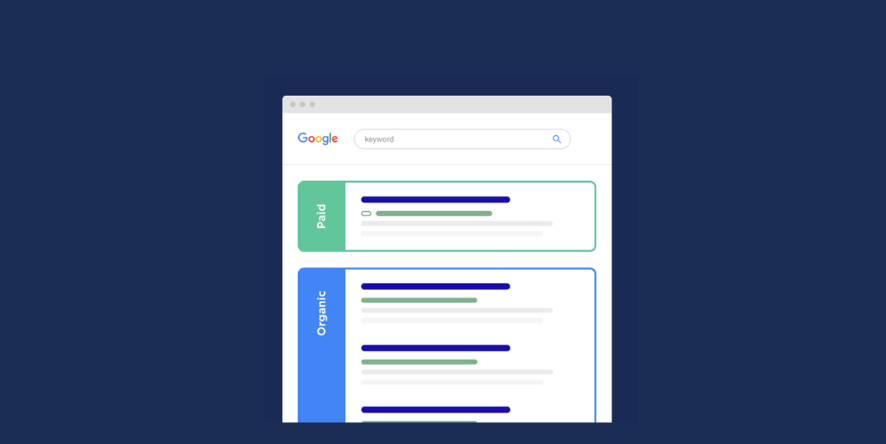
Long-term Google rank tracking requires every query to come from the same IP environment, or the personalized results from different IPs will pollute the data. The static nature of static residential IPs makes them a natural fit for SERP tracking, and the residential identity lowers the chance of being blocked by Google’s anti-bot systems.
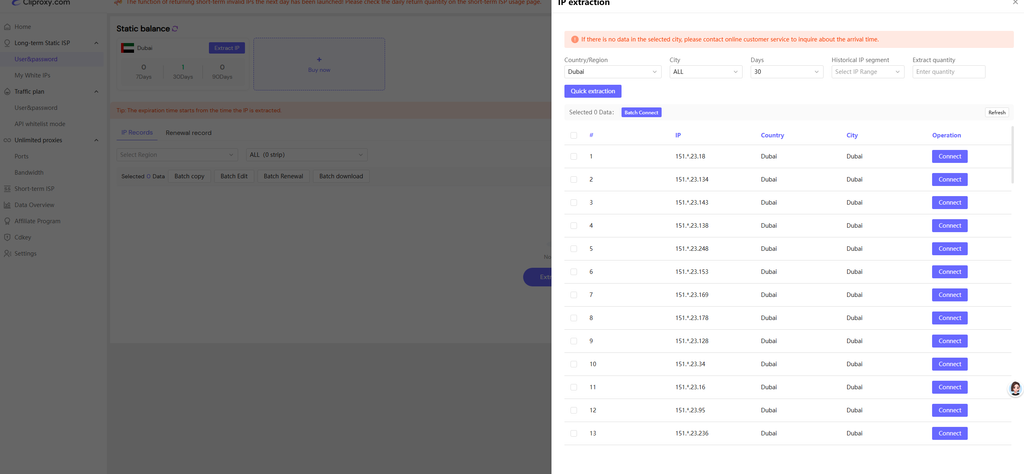
This walkthrough uses Cliproxy’s static residential IP as an example.
Step 1: Get your connection details. After registering and purchasing, go to your dashboard and grab the IP address, port, username, and password. Some providers also offer a whitelist mode — add your local public IP to the whitelist and connect without a password.
Step 2: Configure your client.
proxy parameter of AdsPower, BitBrowser, or Playwright / Puppeteer for “one account, one IP” environment isolation.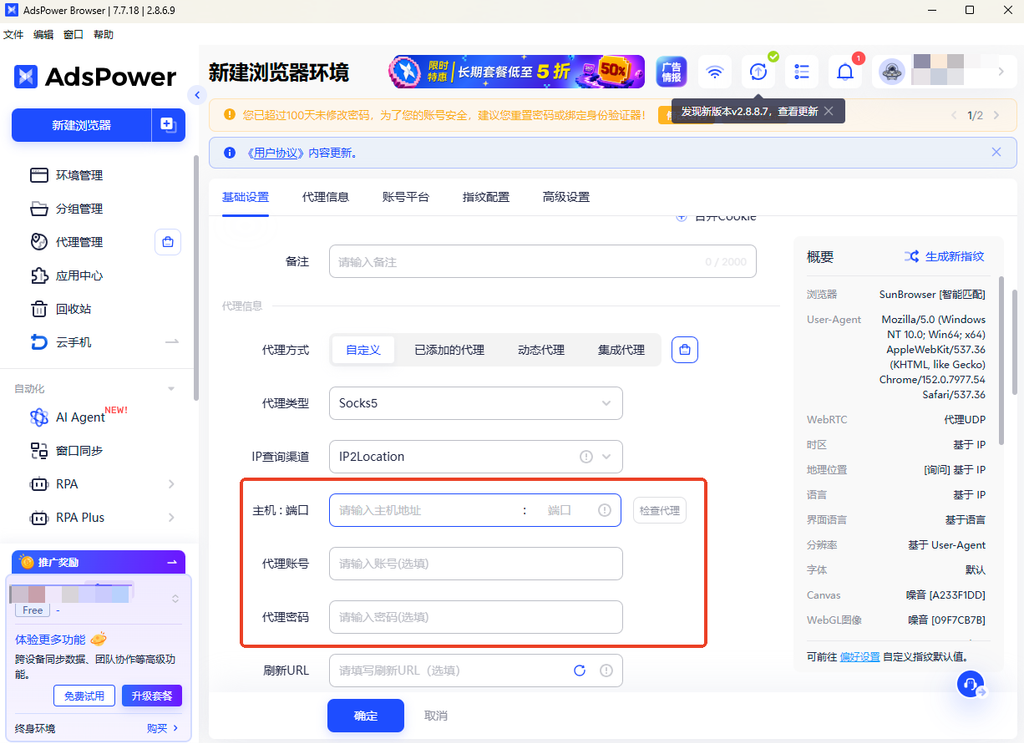
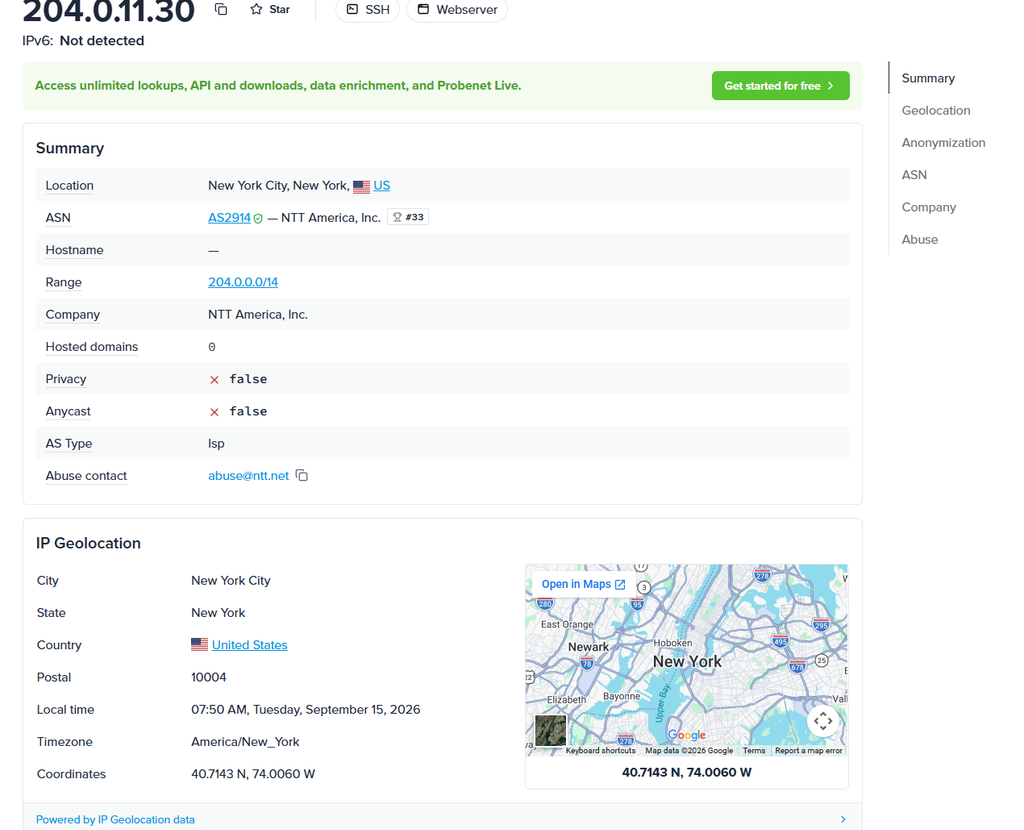
Step 3: Verify the egress. Visit ipinfo.io and confirm the displayed IP matches the static residential IP you purchased, and the org field shows the ISP name.
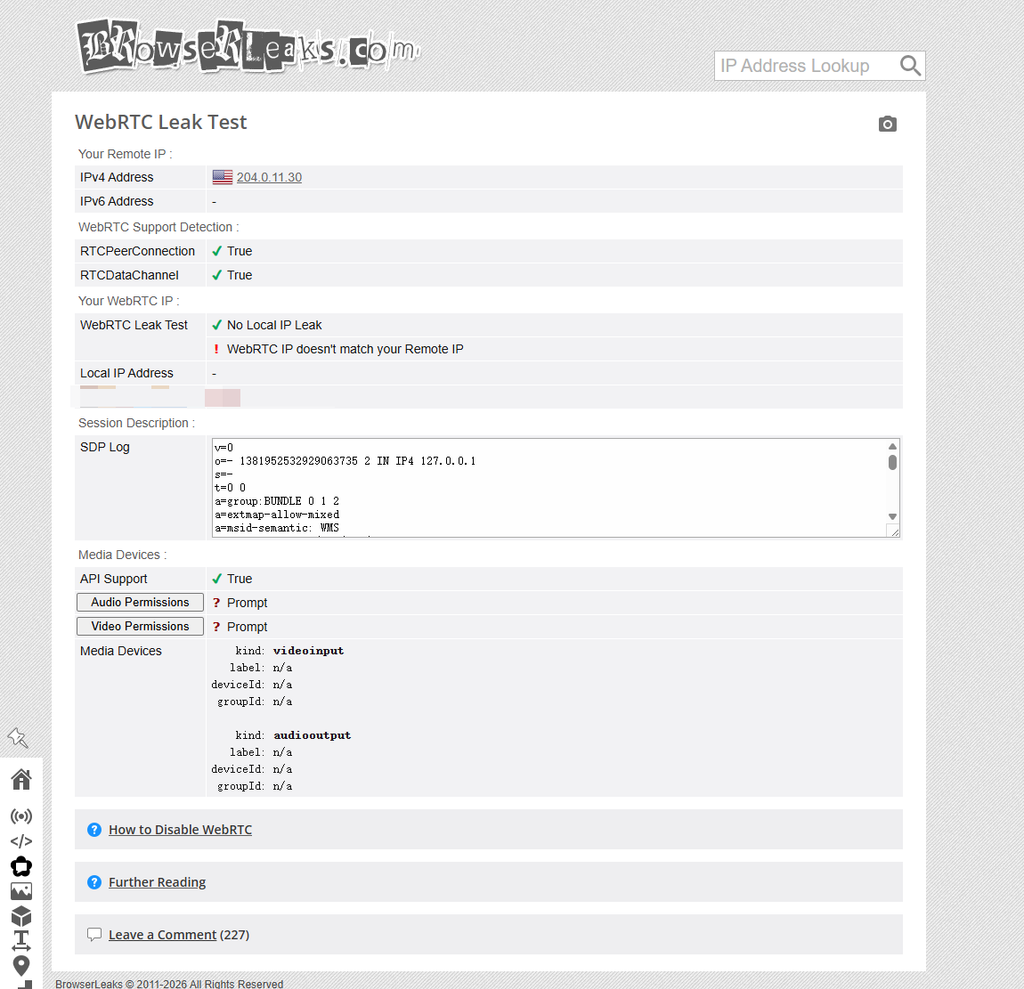
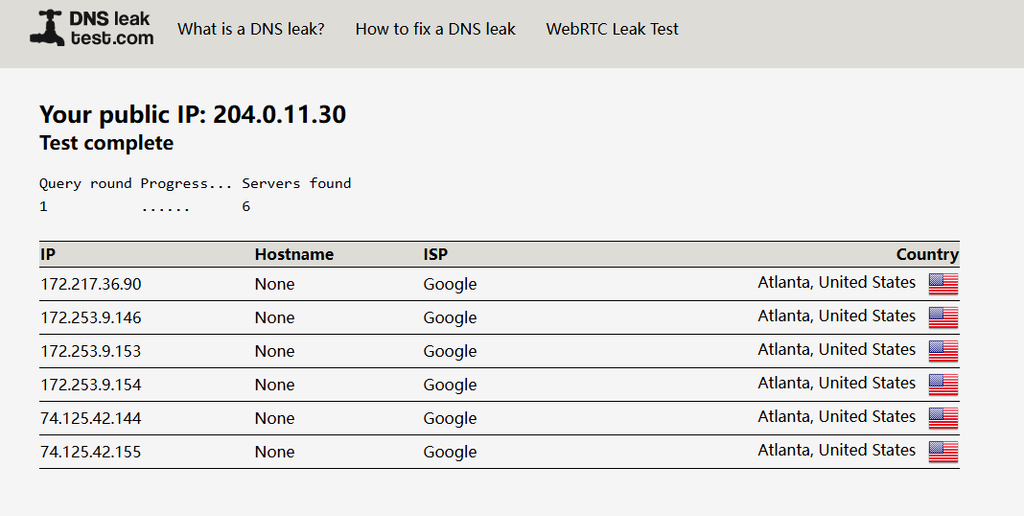
Step 4: Check for leaks. Use browserleaks.com/webrtc to check whether WebRTC leaks your real IP, and dnsleaktest.com to check whether DNS is still going through your local network. These two leaks will directly expose your real identity — they are the most common setup mistakes.
This is the core of the article. A large share of IPs sold as “residential” are actually datacenter IPs with a proxy shell. Spend 5 minutes on the three steps below and 90% of fakes will be caught in the first two.
ASNs are assigned by IANA and managed by each RIR (the allocation principles are defined in RFC 1930). The information about which AS an IP block belongs to comes from the BGP routing tables that routers exchange worldwide in real time — it is more reliable than commercial GeoIP databases, which depend on data collection and can lag or contain errors. BGP routes cannot be forged.
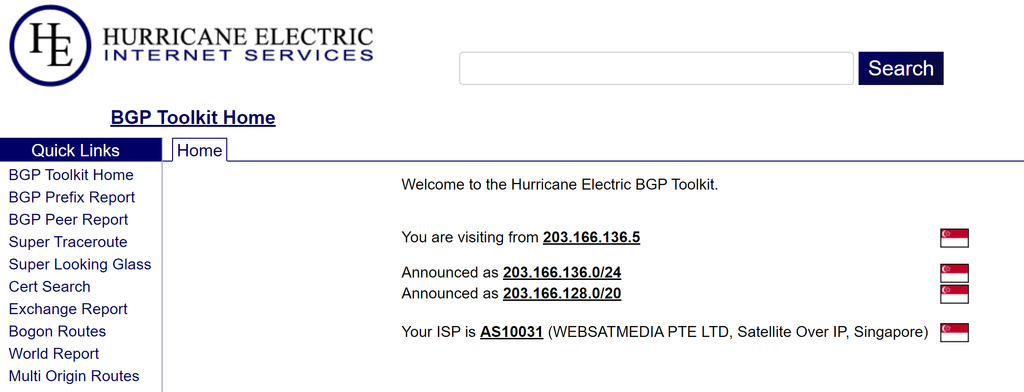
How: Open bgp.he.net, enter your IP, click the Prefix (IP block) in the search results, and look at the AS Path.
Decision rule: In the BGP AS Path, the rightmost ASN is the Origin AS — the true owner of the IP. The Origin AS prepends its own ASN first; downstream ASes are added on the left.
| Origin AS owner | Verdict | Examples |
| Consumer ISP | ✅ Real residential | AT&T (AS7018), Comcast (AS7922), Verizon (AS701), BT (AS2856) |
| Cloud / hosting provider | ❌ Datacenter IP | DigitalOcean (AS14061), Amazon (AS16509), Linode (AS63949) |
Helper tool: enter the IP at ipinfo.io and check the org and type fields. type showing isp means residential; hosting means datacenter.
ASN confirms identity; the fraud score reveals whether the IP has been abused in the past.
Tools: Scamalytics.com/ip (free) or ipqualityscore.com (free tier, 100 queries/day).
Reference thresholds:
| IP type | Typical fraud score | Notes |
| Real static residential IP | 0–5 (>15 is suspicious) | Dedicated, no abuse history |
| P2P dynamic residential IP | 15–35 | Shared, complex history |
| Datacenter IP | 40+ | Pre-flagged high even without abuse history |
Also check the is_proxy and is_datacenter flags — both should be false for a true static residential IP.
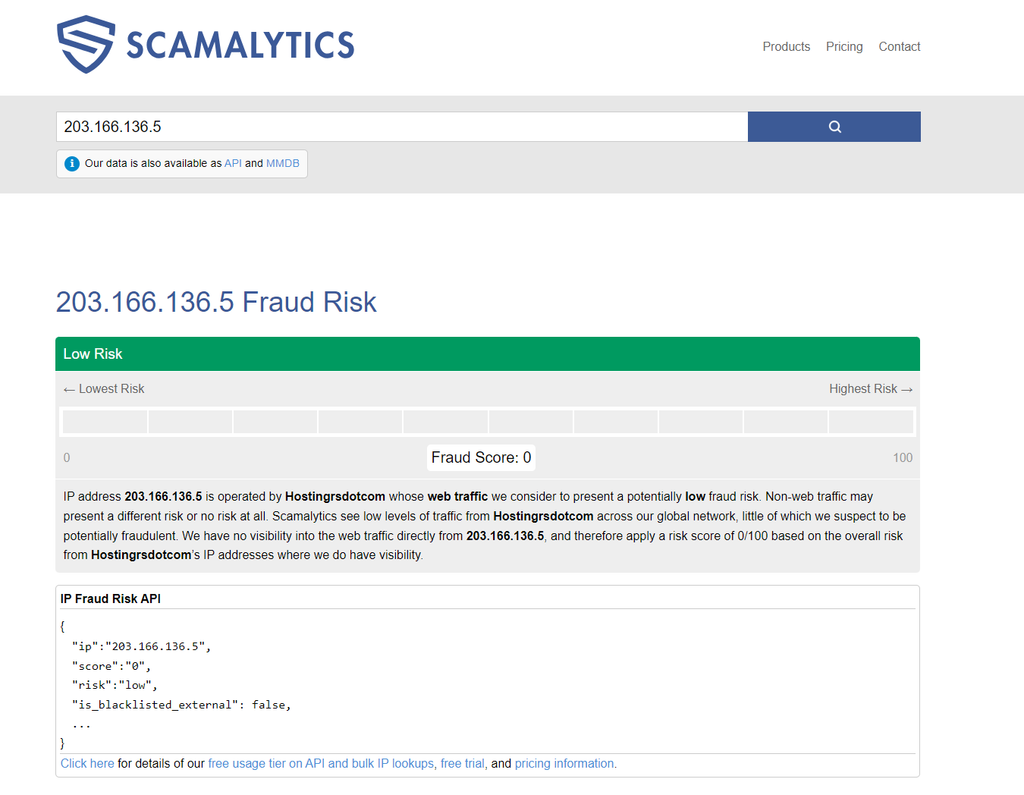
After the first two steps pass, do three more confirmations:
telnet <IP> 80 from the command line. Home broadband blocks port 80 by default, so a real residential IP usually times out; a “datacenter shell” proxy server usually connects instantly.tracert <IP> (Windows) or traceroute <IP> (macOS / Linux). If the path contains many IDC backbone nodes, your traffic has been re-routed through a datacenter.Important caveat: Any single dimension can produce false positives. Database labels lag behind reality, and “dual-ISP” does not equal real residential (dual-ISP just means the IPv4 and IPv6 belong to different operators — a datacenter can do that too). The reliable answer comes from cross-validating ASN + fraud score + business smoke test.
Cliproxy covers numerous regions across the globe, boasting a massive pool of high‑purity native residential IPs. It supports data scraping, market research, cross‑border e‑commerce and overseas multi‑account operations, helping offshore businesses achieve stable and efficient deployment. Use coupon code: lZvJcWBLCm for a 5% discount.
They are essentially two names for the same product. “ISP proxy” emphasizes the IP’s source — assigned from a household broadband operator’s pool, distinct from datacenter and cloud IPs. “Static residential IP” emphasizes the allocation form — a fixed, never-rotating address from that ISP’s residential pool. Same thing, different framing.
It depends on the task. Need “one stable identity” (account management, long sessions, API whitelists) → choose static. Need “a huge number of different identities” (large-scale scraping, SERP monitoring) → choose dynamic. Static is billed per IP with unlimited traffic; dynamic is billed per GB.
Three steps: ① Look up the Origin AS (rightmost ASN in the AS Path) at bgp.he.net — if it’s AT&T, Comcast, or another ISP, it’s real; if it’s DigitalOcean or AWS, it’s fake. ② Check the fraud score on Scamalytics — below 5 is excellent. ③ Run business smoke tests — Gmail registration should not trigger SMS verification, TikTok should load local content normally. See Section 6 for details.
Basic ASN filtering cannot distinguish it — that is the structural advantage over datacenter IPs. However, a few advanced bot-management systems cross-check ASN type against geolocation precision (residential IPs should resolve to a real residential address, not an ISP facility address). Hosted static residential (ISP proxy) may be exposed under such checks; native static residential will not.
Technically it depends on the provider’s concurrency policy (username/password authentication usually doesn’t limit device count, but does limit concurrent connections). Operationally, the recommended practice is “one account, one IP” — sharing one IP across multiple business accounts means a single flag takes all of them down.
Managed ISP proxies are priced at roughly $2‑6 per IP per month, with most plans offering unlimited bandwidth. Genuine static residential IPs come at a significantly higher cost. Cliproxy’s native static residential IPs are currently on promotion. You can get one valid for a month for as low as $4. Apply coupon code: lZvJcWBLCm to receive a 5% site‑wide discount! Reach out to official customer support for further service details.
A static IP’s natural weakness is “nowhere to rotate.” Prevention first: check the fraud score before buying, insist on dedicated IPs, and keep account behavior frequency reasonable. If already flagged, contact the provider to swap the IP (some free, some paid) and assess whether the platform has blacklisted the entire subnet.
Start your Cliproxy trial


